Find a tabletop RPG table
Listings published by the community: a table looking for players, a player looking for a table, an existing group looking for a game master. Browse what is open right now, or publish your own in a few minutes.
Browsing the listings needs no account. To answer one or publish your own, you need an account with a confirmed email address. Create an account
Find a table, in brief
Find a table is the JDR Ninja tabletop RPG listing board. A game master announces the campaign they want to start, a player looks for a seat, an existing group looks for a game master. Every listing states the essentials before you even sign in: system, campaign type, language, online or in person, number of seats, and whether the table is free or paid. Answering one requires an account with a confirmed email address and goes through an application the host replies to. JDR Ninja processes no payment: the arrangement is between you.
Three kinds of listing
A table looking for players, a player looking for a table, an existing group looking for a game master. All three filter by profile, by language, by online or in-person mode, and by distance around you.
Everything is said before signing in
The system, the campaign type (one-shot, mini-campaign, long-running campaign or open table), the language, the mode, the number of seats and the cost can be read without an account. The description, the neighbourhood and the table's commitments (session zero, safety tools, sensitive topics, pronouns respected) are for signed-in members only.
No payment through JDR Ninja
Every listing says whether the table is free or paid, and JDR Ninja collects nothing: the arrangement is between the host and the players. Answering goes through an application, with an account whose email address is confirmed.
What it looks like
Three moments of the module, in the order you meet them: the listings page with its filters, a listing as a signed-in member reads it, and an application as the host receives it.
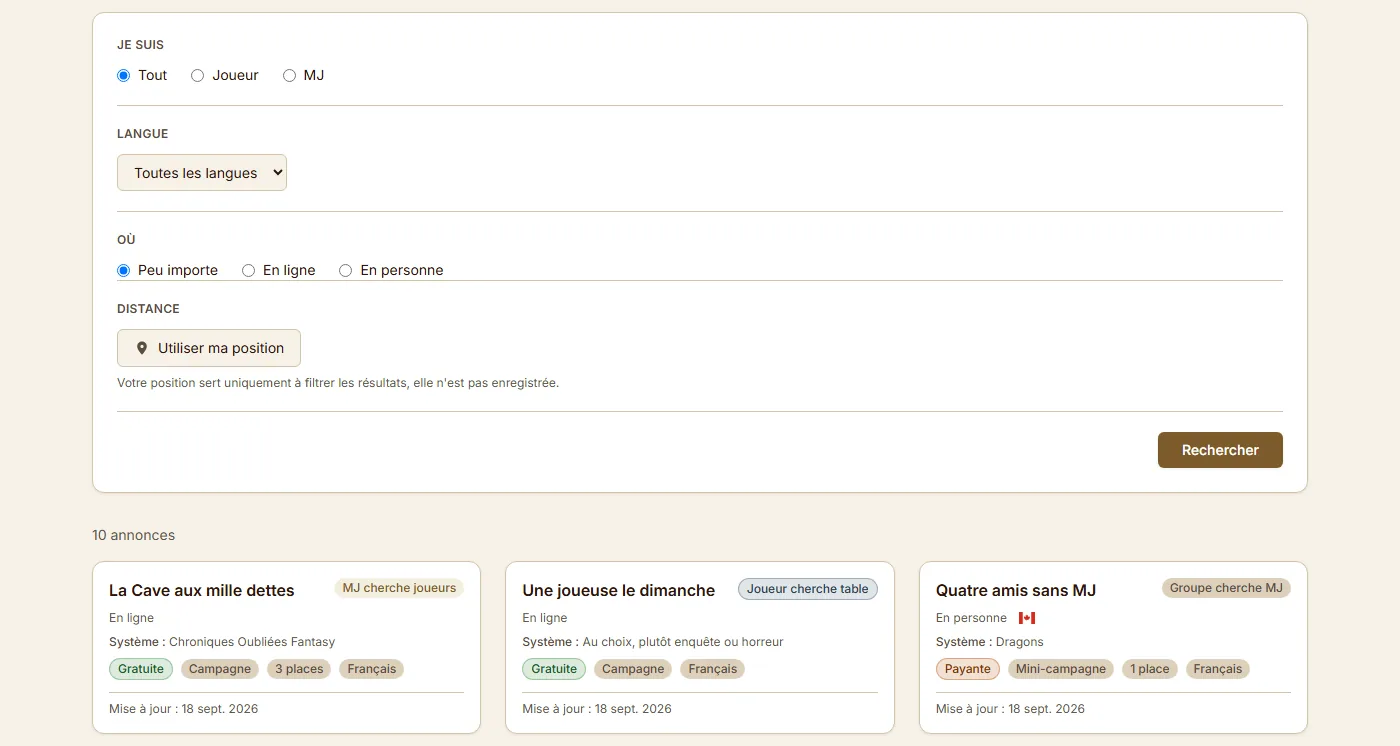
You search the open listings
Listings filter by profile (player or GM), by language, by online or in-person mode, and by distance around you. Each card shows the listing type, the mode, the system, the cost, the open seats and the table's language, without opening it.
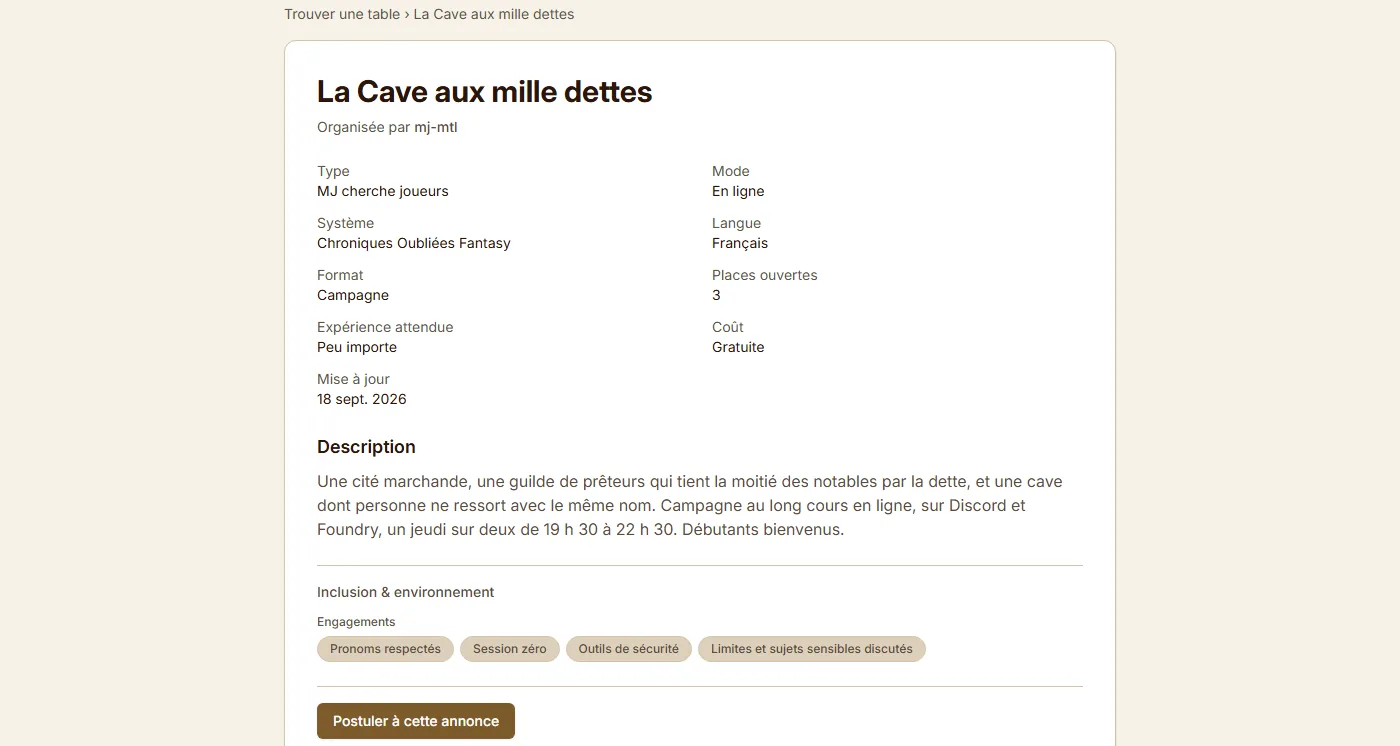
A listing tells you what you need to know
The game master, player or group describes what they are looking for: system, campaign type, language, mode, seats and cost. Signed in, you also read the description, the neighbourhood and the table's commitments, then the Apply button opens the application.
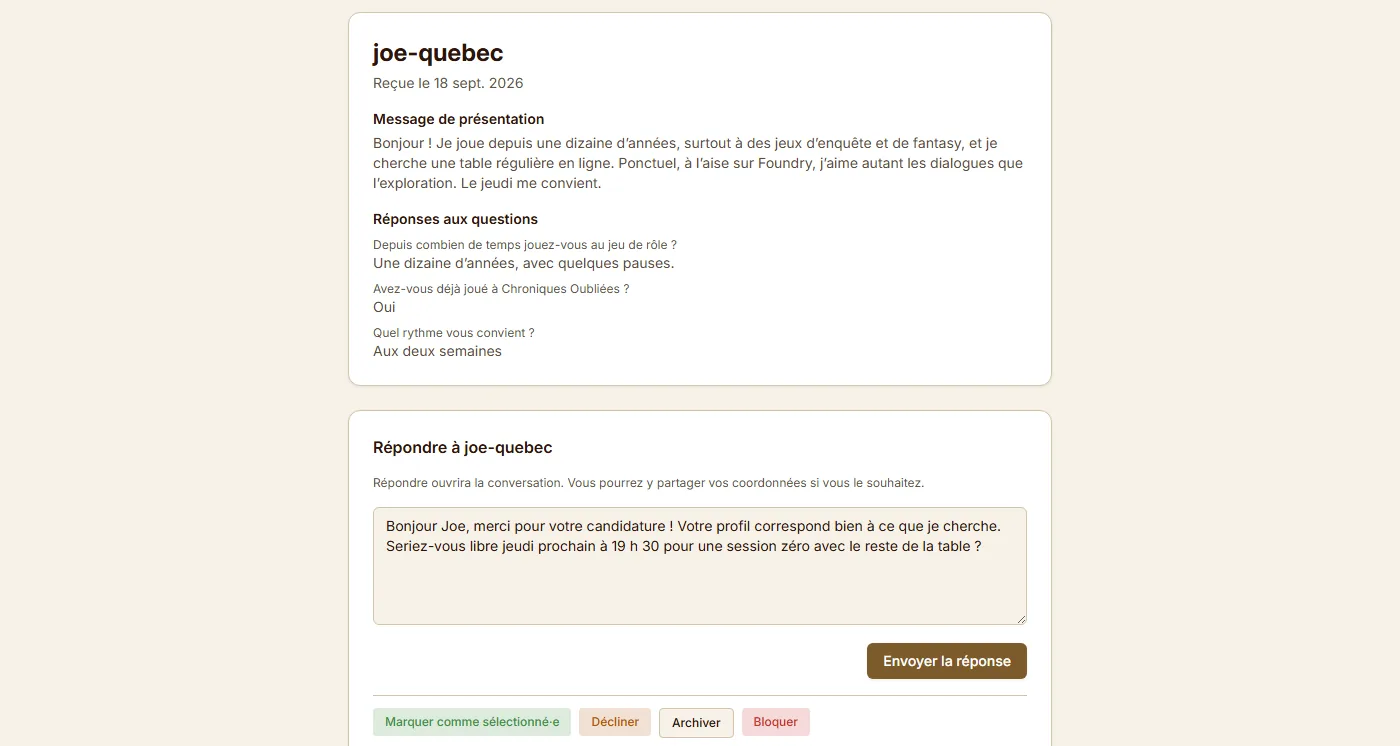
You apply, the host replies
You introduce yourself in a few lines and answer the questions the listing asks. The host receives it all on one page and chooses to reply, which opens the conversation between the two of you, or to decline.
Why go through JDR Ninja
Whether you're a game master with a campaign ready to play or a player looking for a new adventure, JDR Ninja lets you publish a listing and join a passionate tabletop RPG community. Publish your listing in a few clicks.
Frequently asked questions
Are the tables listed on JDR Ninja free or paid?
Each listing shows its cost (Free or Paid) directly on the public card and the detail page. JDR Ninja processes no payment: the arrangement is made between the organizer and the players.
Do I need an account to respond to a listing?
Yes. A listing's public page shows a structured overview (title, type, system, language, cost, seats), but the full description, neighbourhood, and application are reserved for logged-in members with a confirmed email address.
How do I publish my RPG table listing?
Log in, go to 'Publish a listing', and specify the system, the mode (online or in person), the number of seats, the cost, and your availability. You can also define your own questions to filter applications.
Ready to find your table?
Browse the open listings, or publish your own and let players come to you.