Generate monsters and NPCs
PremiumSet the generator options, review the result, then create an actor in Foundry. Both windows are GM-only. Generation needs explicit device permission and a subscription granting access to this feature.
Generate D&D monsters and NPCs in Foundry VTT, synchronize your characters to Atlas and show public rolls on your stream. You can also connect Stream Deck to run your game commands.
Unified module in development
The features described are present in the local module. Validation before publication is ongoing, and its public installation link is not available yet.
Enable JDR Ninja in your Foundry world, then choose the features useful for your game. Generators and the overlay use your account connection. Atlas needs a connection for its world. Stream Deck uses a local companion on your computer.
Foundry VTT
JDR Ninja · Atlas · OBS
Stream Deck Optional
Set the generator options, review the result, then create an actor in Foundry. Both windows are GM-only. Generation needs explicit device permission and a subscription granting access to this feature.
Link an actor to an Atlas character or create the character from Foundry. The GM can then send one sheet or synchronize linked characters. Synchronization is manual and goes from Foundry to Atlas.
Connect Atlas to Foundry VTTSend exact roll results to the JDR Ninja overlay in OBS. Private, blind and whispered rolls are not forwarded. Roll relay requires a subscription and must be enabled in the relevant browser.
Run a macro, change scenes or control music from a key. The plugin connects through a local companion and the Foundry module. You select the session; commands remain subject to your Foundry user’s permissions.
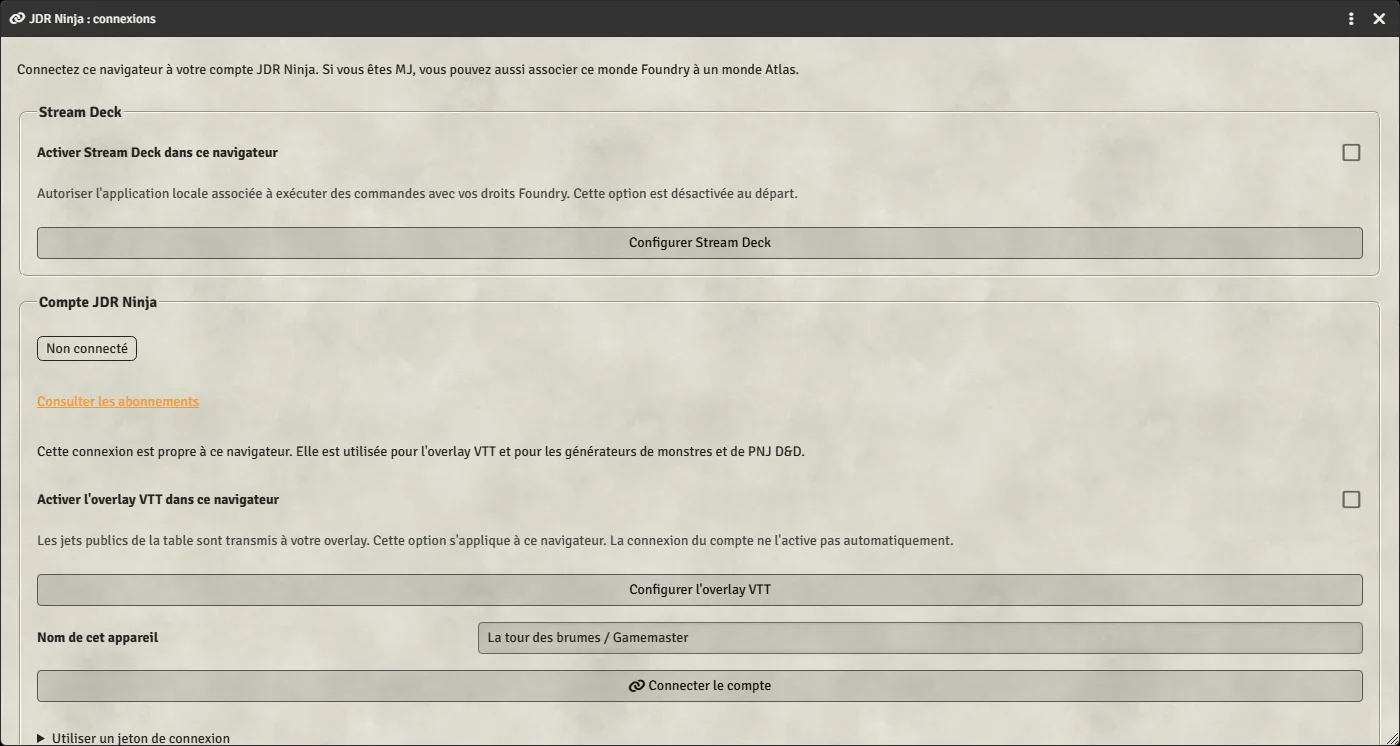
Stream Deck for Foundry VTTLocal module preview: account connection and overlay/Stream Deck settings in Foundry.
Local module preview: compatibility and access requirements are shown before generation.
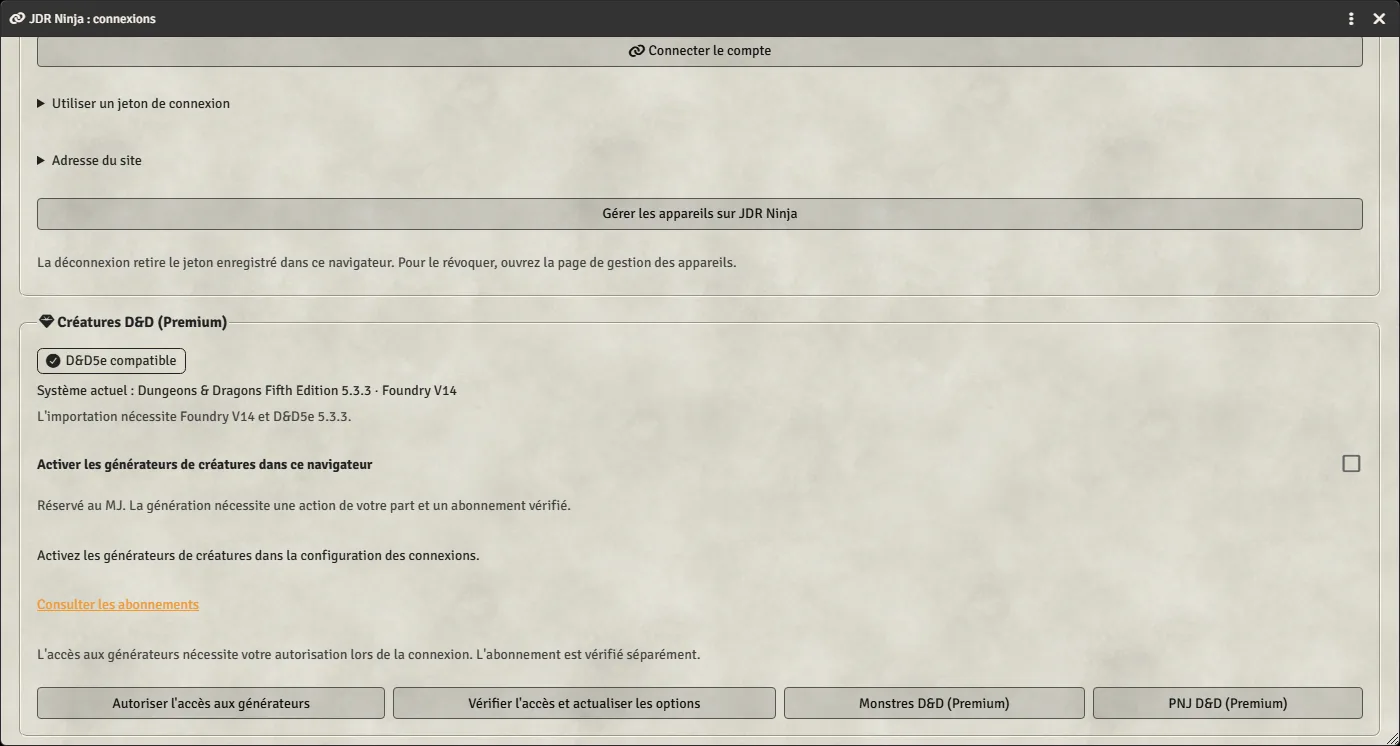
The module requires Foundry VTT 14 or later. Each integration also has its own requirements; a version accepted for Atlas does not guarantee creature import.
| Feature | Version and requirements |
|---|---|
| Generate monsters and NPCs | Current target: Foundry V14 and D&D5e 5.3.3. GM, enabled generators, authorized device and eligible subscription. |
| Synchronize characters to Atlas | D&D5e 3.0.0+, The One Ring (tor2e) 6.0.0+, Pathfinder 2e 7.5.0+, Starfinder 2e 1.0.0+ and Warhammer Fantasy 4e 9.0.0+. GM, Atlas world connection and synchronization access. |
| Show public rolls on your stream | Public rolls containing dice. Linked account, active overlay and a subscription granting Foundry relay access. |
| Control Foundry with Stream Deck | Stream Deck app, plugin and local companion with Node.js 24. The Foundry browser must be on the same computer; the Foundry server may be remote. |
Linking your account does not grant access to every feature. D&D generators, overlay relay and Atlas synchronization each check their own access conditions. Local Stream Deck commands follow Foundry permissions; no general subscription policy is announced for those commands.
View subscriptionsYes. Generators, Atlas synchronization and the overlay are configured independently. Stream Deck is an optional connection.
No. The GM initiates transfer from Foundry to Atlas. Changes made in Atlas are not sent back to Foundry.
No. The relay excludes private, blind and whispered rolls, even when the GM can see them in Foundry.
Yes. The website generators’ free JSON exports remain available for manual import. Generation and actor creation from the module windows have their own access and compatibility requirements.
No. Settings and credentials are not copied automatically. Disable the corresponding old module before enabling its integration in JDR Ninja. Existing Atlas character links can be adopted after successful synchronization.
The common guide explains each feature’s connections and settings. For keys and the local companion, continue with the Stream Deck guide.