Macros, scenes and pause
Run an authorized macro, view or activate a scene, adjust darkness and pause the game.
The JDR Ninja module for Foundry
Run macros, change scenes and control music from Stream Deck. The JDR Ninja plugin sends commands to Foundry VTT through a companion running on your computer.
Three components connect your keys to the selected Foundry browser: the Stream Deck plugin, the local companion and the JDR Ninja module. Foundry executes commands and checks the signed-in user's permissions. Its browser must stay open on the same computer as the companion.
Bind a key to a macro, scene or sound already in your world.
Each key keeps the world, user and browser you explicitly selected.
The plugin distinguishes completed commands from refused commands and uncertain outcomes.
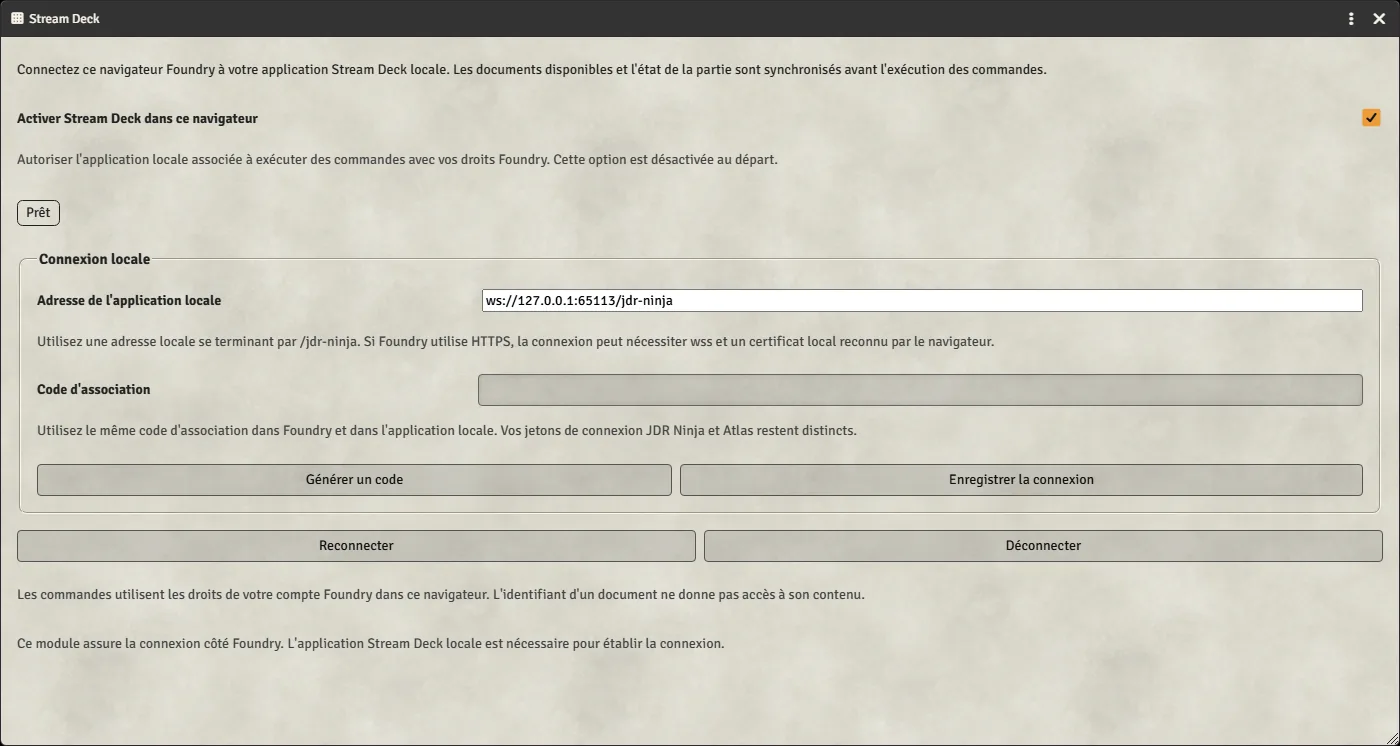
These captures show module settings in a real Foundry browser and the plugin development inspector. They illustrate local configuration and do not certify physical Stream Deck hardware. The temporary port in the captures differs from the guide’s default port 19114.
In module settings, save the companion address and local key, then explicitly enable Stream Deck in this Foundry browser.
The command and its input fields depend on the selected session and Foundry user's permissions.
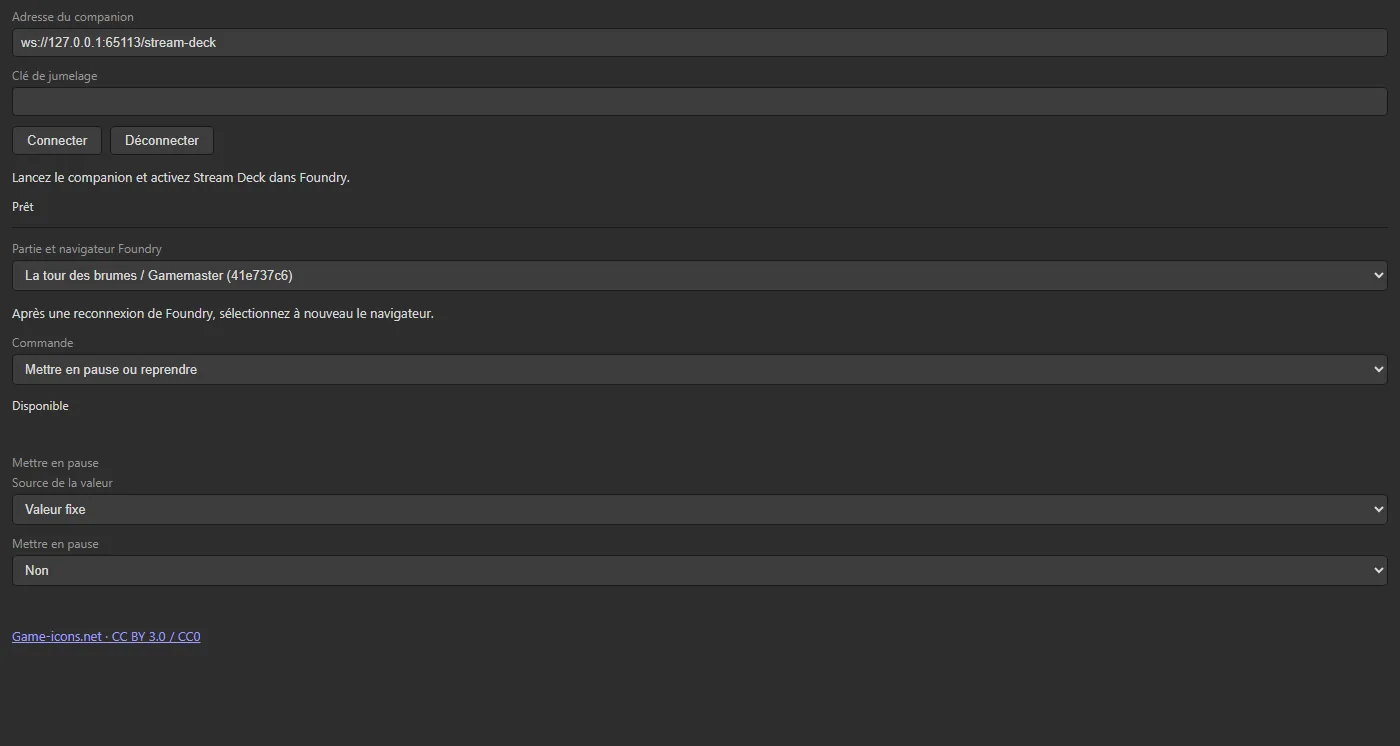
The companion relays commands between the two clients on your computer. Your Foundry server may be hosted elsewhere. The local pairing key requires no JDR Ninja account token and grants no additional Foundry permissions.
Run an authorized macro, view or activate a scene, adjust darkness and pause the game.
Play or stop a sound, switch tracks and adjust volume. Open an actor sheet or journal page, share a page with selected recipients and draw from a roll table.
Select, target or hide tokens, adjust their core resource bars and advance combat turns within your permissions. Core bars do not provide system-specific damage or healing rules.
You need Foundry V14 or later with the JDR Ninja module enabled, the Stream Deck application with the JDR Ninja plugin, and Node.js 24 for the companion. Keep the Foundry browser and companion running on the Stream Deck computer. Each key must explicitly target a session.
Ordinary commands work with fixed values. Advanced options let you select a compatible variable, browse a list and supply arguments to a macro that declares them in Foundry. Values and permissions are checked on every press.
Commands respect the Foundry permissions of the selected session. Overlay test carries a Premium marker and requires account connection, overlay enablement and server access verification. Other module features have separate conditions. No general subscription tier has been announced for local commands.
It relays commands between the Stream Deck plugin and authorized Foundry browsers on your computer. Foundry executes actions and checks permissions.
Yes. The browser opening the game must still run on the same computer as the companion and Stream Deck.
Commands need an open Foundry browser connected to the companion and ready to receive them. Closing that browser ends its session.
Select the session again on your keys. Each new Foundry connection gets a new identity. Reconnecting only the plugin can rediscover a Foundry session that stayed connected.
Available actions depend on the signed-in Foundry user's permissions. A key grants no additional rights and never automatically switches users.
Overlay test requires Premium access verified in Foundry. No general subscription requirement has been announced for local commands. Generators and other module features have their own access conditions.
Development tests use a real Foundry browser and a simulated Elgato host. Physical Stream Deck hardware, Windows/macOS installation and trusted-certificate wss still await acceptance. No general hardware compatibility claim is made.
Follow the guide to connect the three components and test a simple command.